
Editable broker storefront
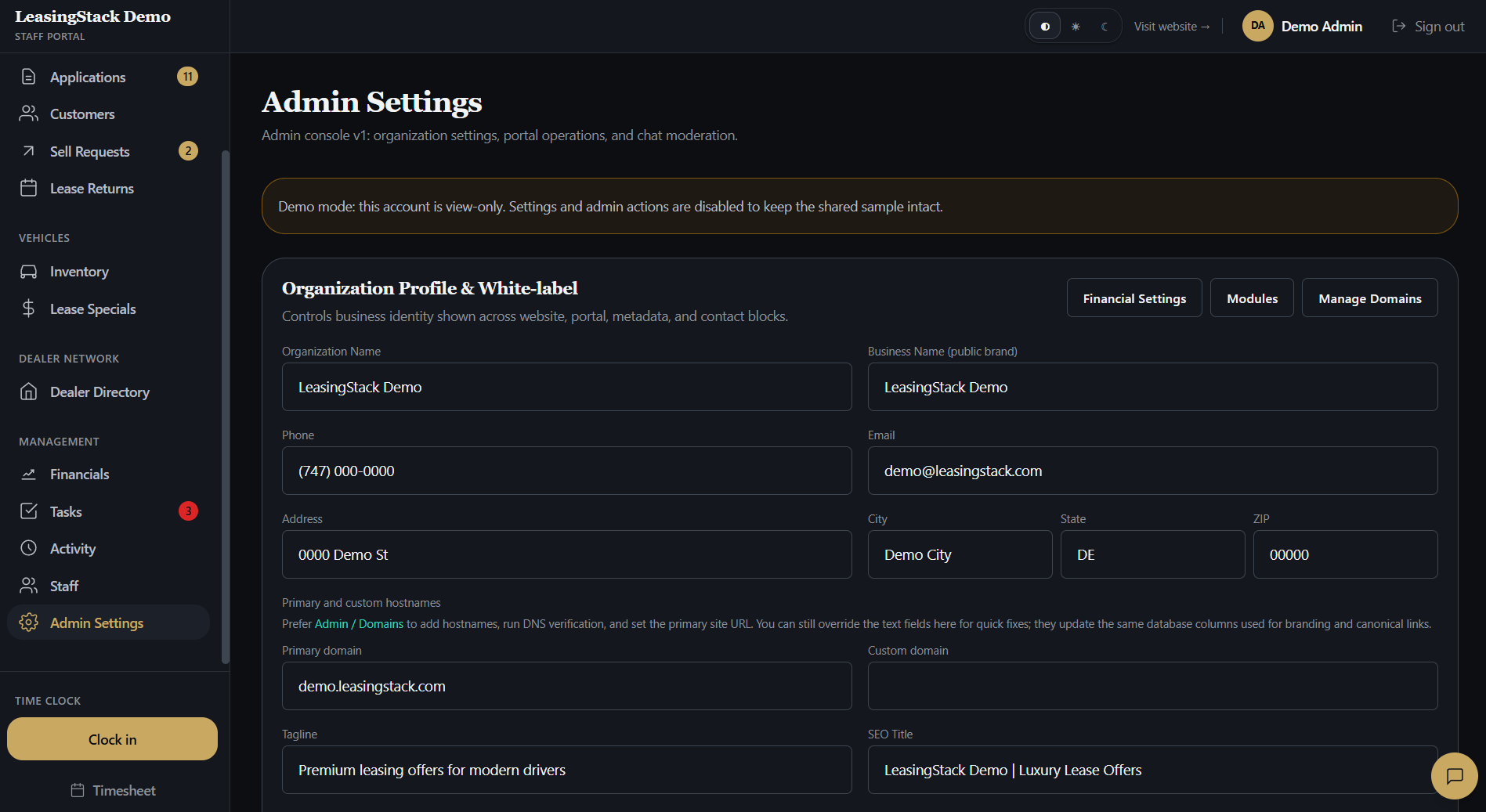
Update pages, copy, colors, and branding from Admin without rebuilding a marketing site from scratch.
Feature
An editable public site with inventory and lease deals on display. Host on LeasingStack, point your domain, or keep your current site and embed Apply so leads still land in your CRM.
Capabilities
A storefront that shows inventory and routes Apply and Sell into the same brokerage portal.
Update pages, copy, colors, and branding from Admin without rebuilding a marketing site from scratch.
Show live inventory and specials so shoppers see what you actually have before they apply.
Credit application and sell-your-car flows route straight into your brokerage queue and CRM.
Go live on your brokerage subdomain the day you sign up while you finish branding and content.
Point a custom domain from Admin so clients only see your brand in the address bar.
Already happy with your website? Keep it. Paste one snippet and run the credit application inside your own pages with the same CRM handoff.
Workflow
01
Sign up and your brokerage gets a public site scaffold with Apply and Sell already linked.
02
Add logo, colors, business details, and inventory so the storefront matches how you sell.
03
Stay on a LeasingStack address, attach your domain, or embed the application into the site you already run.
04
Applications and sell requests land in your portal queue with assignment and follow-up controls.
Modules
Editable pages, branding, hours, and SEO basics for your brokerage.
LeasingStack subdomain or custom domain pointed from Admin.
Vehicles and lease deals shown on the public site.
Credit application snippet for brokerages that keep an existing website.
Roles
Manage branding, domains, site content, and publish settings.
Keep inventory and public deals accurate for what the team is selling.
Share the live site or apply link during customer conversations.
Works in Financials on commissions and payouts. Site and domain settings stay with admins.
Most broker tools stop at intake links. LeasingStack gives you a real public storefront connected to the same CRM, so you are not stitching a website builder to a separate pipeline.
Summary
Best for
Brokerages that need a live public site fast
Fast win
Branded site with Apply and Sell connected
Main outcome
One path from shopper to CRM queue
Explore
FAQ
Yes. Every brokerage gets an editable broker website with inventory and Apply or Sell connected to the CRM.
Yes. Run the site on a LeasingStack address first, then point your custom domain from Admin when you are ready.
Keep it. Embed the LeasingStack credit application with one snippet so leads still reach your CRM without replacing your existing site.
Yes. On the included broker site, those flows route into your brokerage queue. If you embed on your own site, the same CRM handoff applies.