All guides

Guide

Auto broker CRM built for lease and finance brokers

Dealer CRMs are built for the showroom floor. Auto broker CRM software should connect intake, quoting, customers, and payouts: the daily work of an independent brokerage.

Application pipelineDeal Desk quotesTeam assignments
LeasingStack applications in the portal
Hosted credit application links
Lease and finance quoting
Sell-your-car intake
Role-based staff portal

Guide

What to know before you buy

Practical criteria for broker CRM software, with portal screenshots so you can see how LeasingStack maps to real desk work.

What is an auto broker CRM?

An auto broker CRM is the operational system your brokerage uses after a lead raises their hand: credit applications, assignments, follow-ups, inventory, deal structure, and the people responsible for each step. It is not a generic sales CRM with a automotive skin.

If you run lease or finance placement for consumers, you need visibility from first application through funded deal, not just contact records and email sequences.
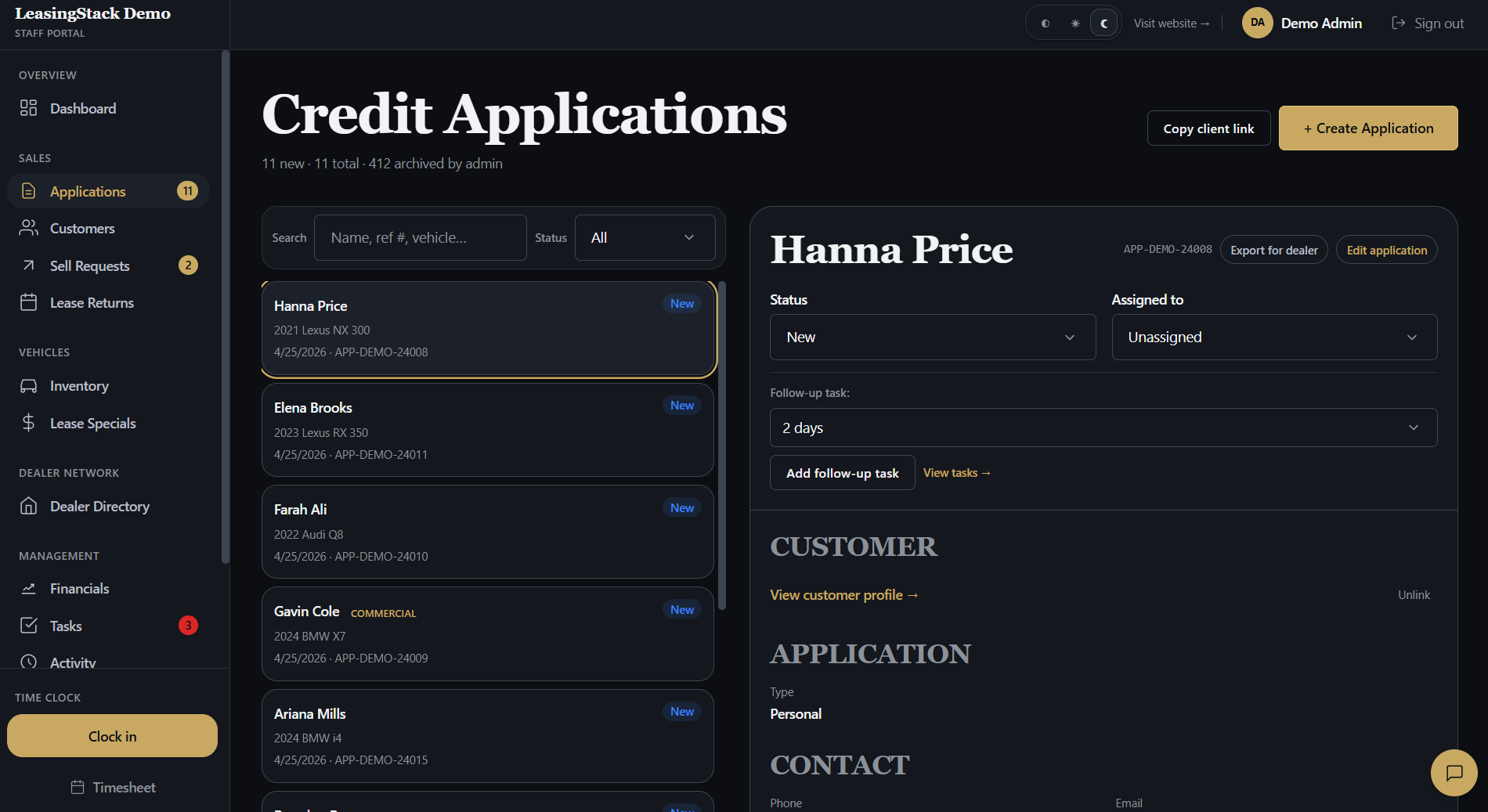
LeasingStack applications in the portal

How auto broker CRM differs from dealer CRM

Dealer management systems center the rooftop: inventory on the lot, desking, F&I menus, service lanes, and OEM programs tied to a store. Brokerages center the customer journey across lenders, dealers, and your desk team.

  • Broker CRM: multi-dealer placement, white-label intake, shared customer truth across staff
  • Dealer CRM: lot inventory, showroom traffic, store-level reporting
  • Broker CRM: Deal Desk style quoting across programs and rebates
  • Dealer CRM: desking tied to in-store delivery
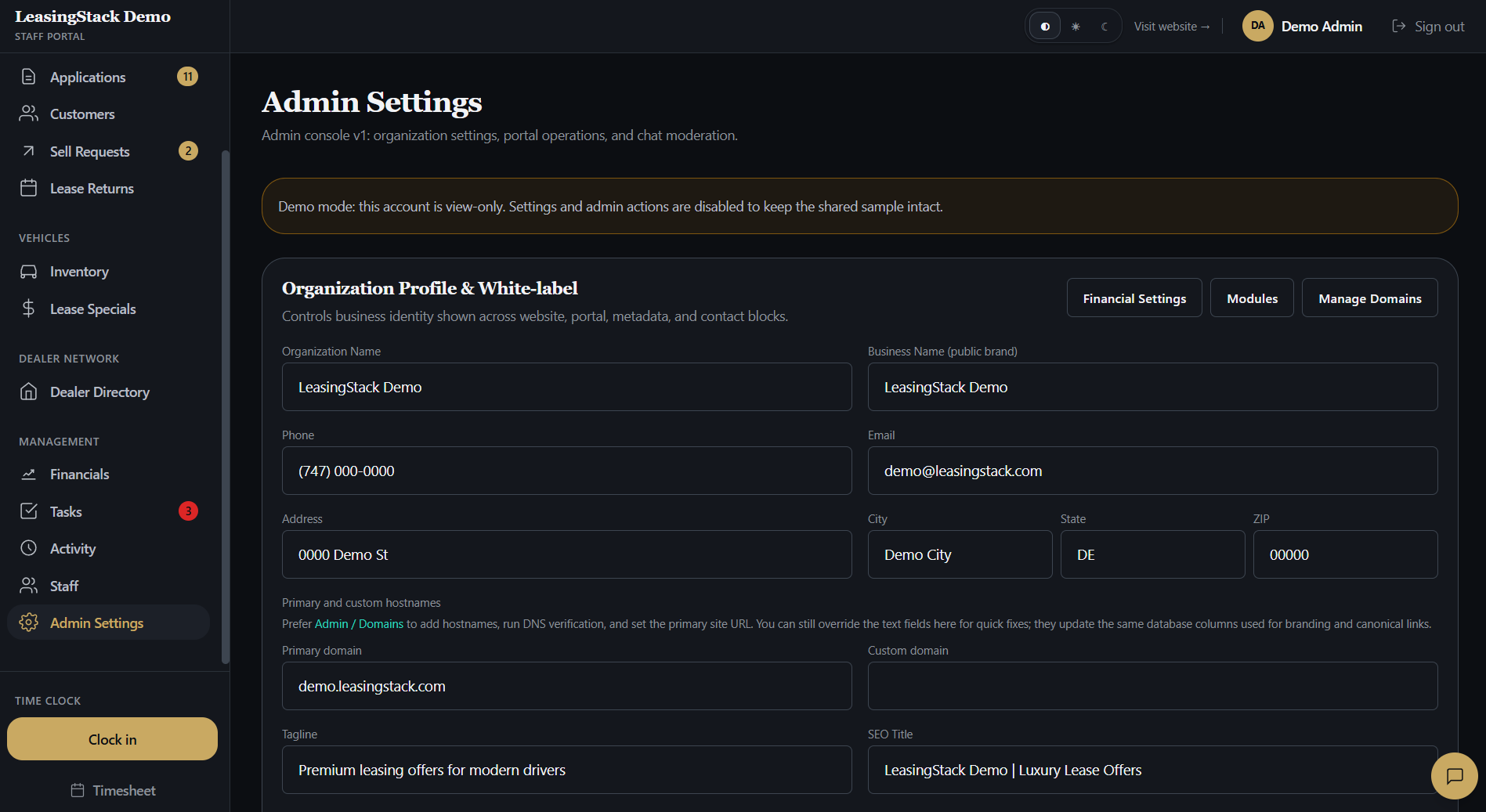
LeasingStack admin settings in the portal

What to look for in auto broker CRM software

Before you compare logos on a search results page, score vendors against workflows your team runs every week. The best auto broker CRM is the one your staff opens without a workaround spreadsheet.

  • Hosted intake links you can publish on your site and campaigns
  • Application queue with status, owner, and next follow-up
  • Customer records tied to documents, deals, and communication history
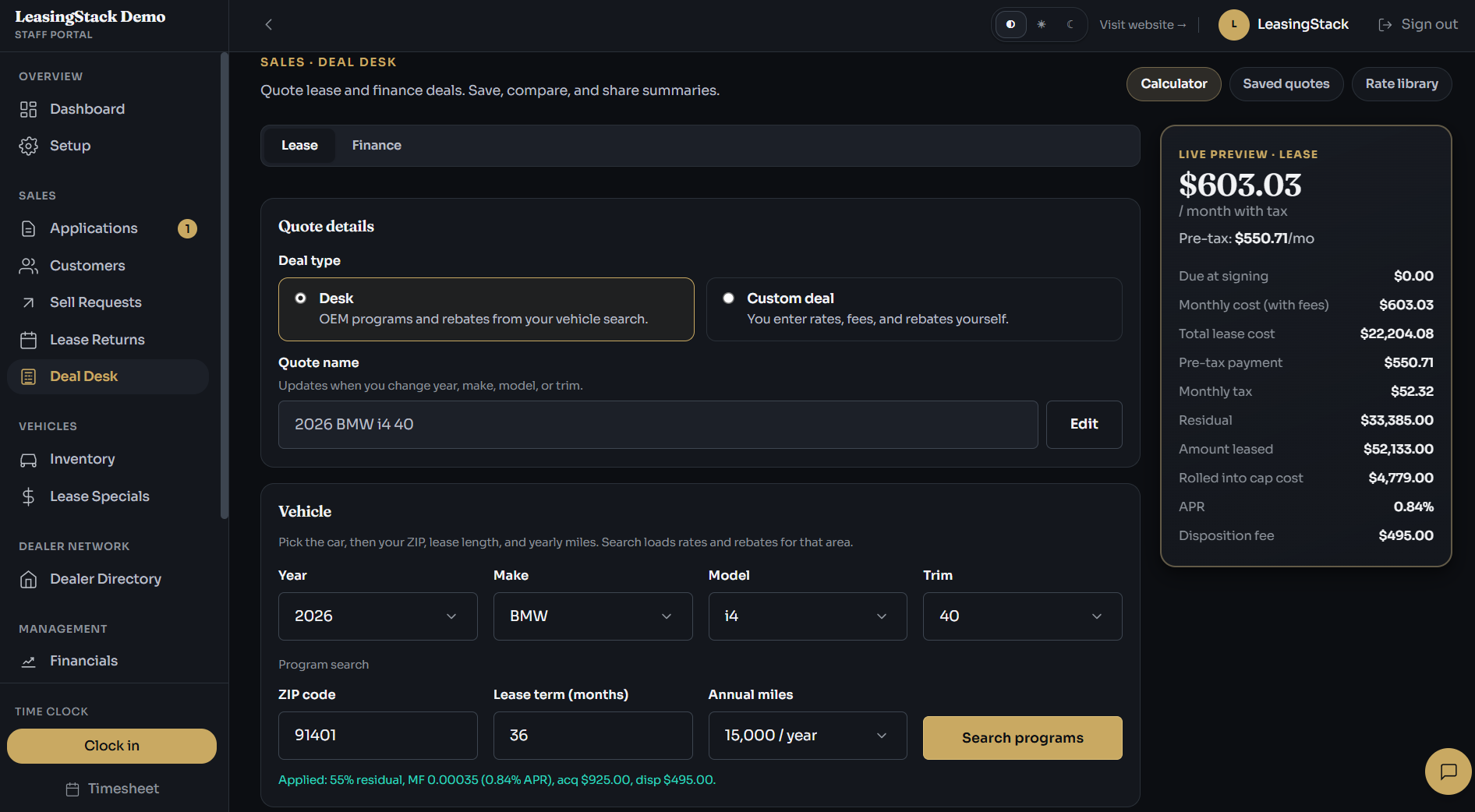
  • Lease and finance quoting with programs, rebates, and printable quotes
  • Trade-in / sell-your-car intake that lands in the same portal
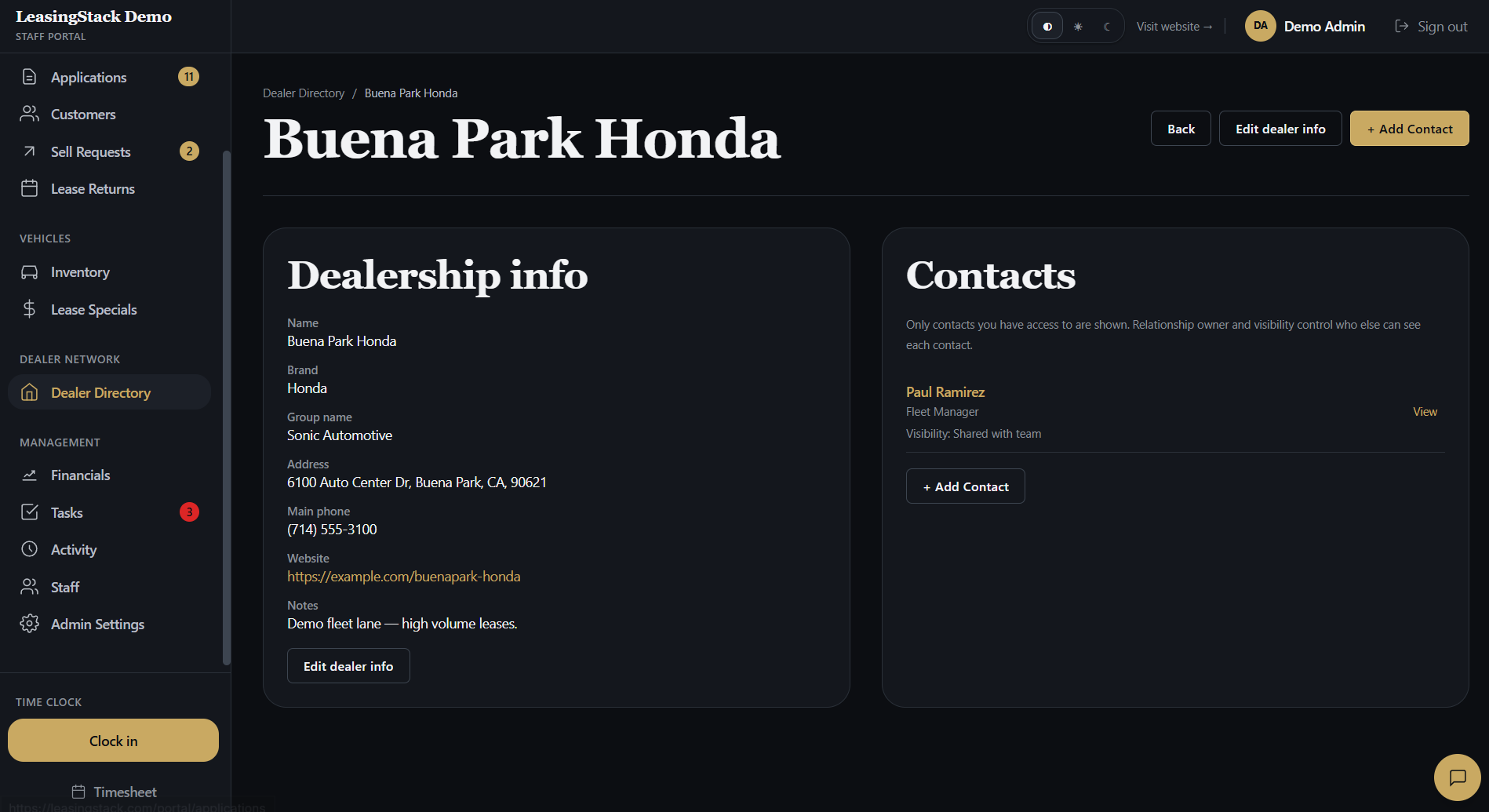
  • Dealer directory and contact tracking for your network
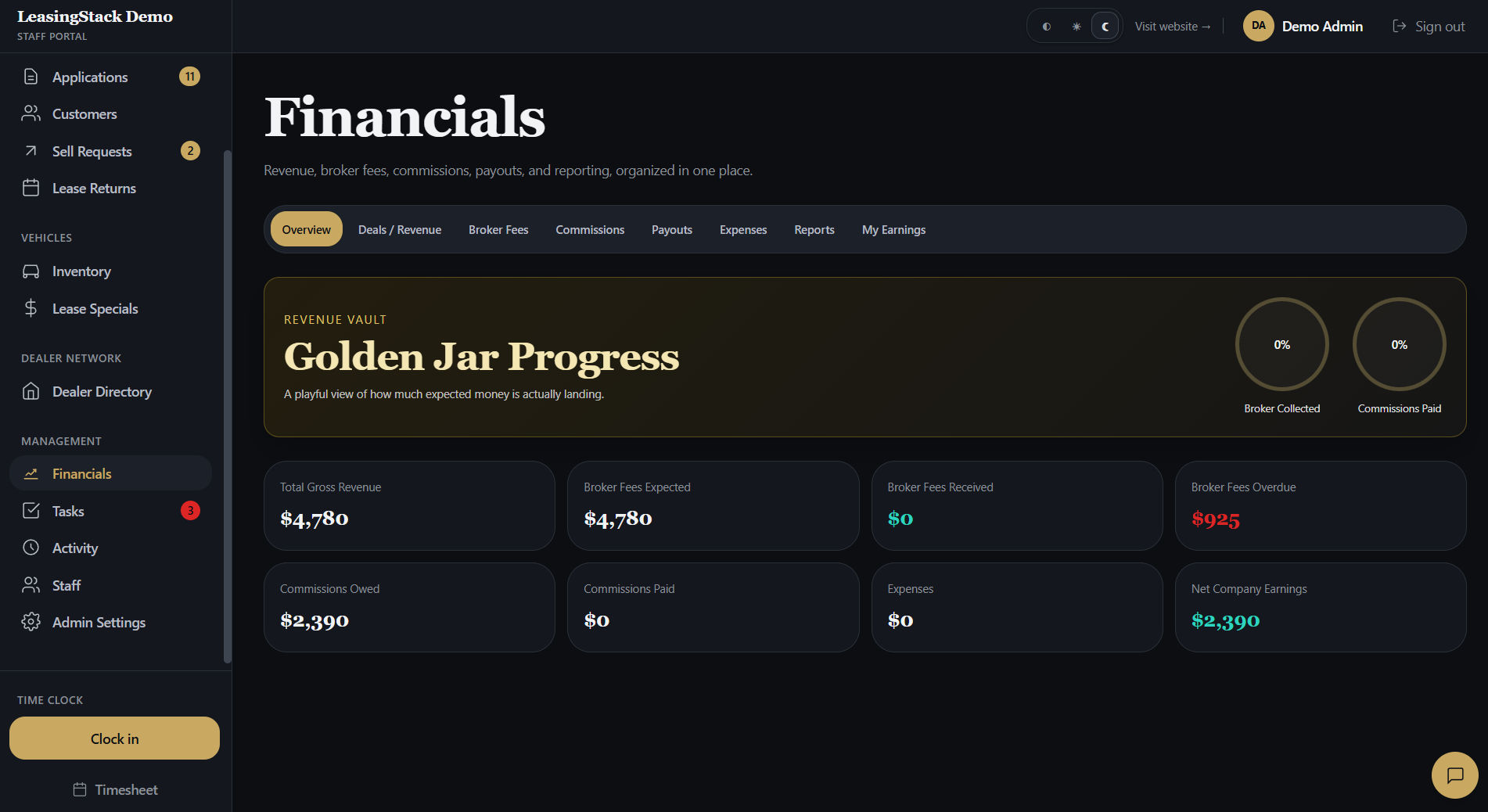
  • Financials: broker fees, commissions, and payout visibility on supported plans
  • Role-based access so sales, managers, and finance see appropriate data
LeasingStack customer contact in the portal

Why “best auto broker CRM” lists miss the point

Listicles often rank tools by brand awareness, not by fit for independent brokers. A platform that works for a 300-rooftop group may be the wrong shape for a ten-person lease desk.

Use evaluation criteria: intake quality, quoting depth, assignment rules, and whether sensitive workflows stay inside one audited portal instead of scattered inboxes.

LeasingStack financials in the portal

Where LeasingStack fits

LeasingStack is auto broker software and CRM for brokerages that want hosted intake, Deal Desk lease and finance quotes, and a staff portal in one product, not a bolt-on CRM beside five other tabs.

You can run a 14-day trial, connect your intake links, and see whether your managers can rebalance work from a shared queue instead of forwarded email threads.

LeasingStack Deal Desk lease and finance quoting

LeasingStack

How the platform maps to broker work

Four pillars that independent lease and finance desks care about most.

One queue for applications

Credit and intake submissions route into a shared pipeline with clear ownership so leads do not vanish between sales and admin.

Quotes customers can understand

Deal Desk pulls programs and rebates so your team presents payments and terms with a branded printable quote.

Built for broker roles

Admins, managers, sales, and finance get scoped access instead of everyone seeing everything.

Connected to real operations

Inventory, lease specials, sell requests, tasks, and financials modules align to the same customer record.

Workflow

Typical desk flow

From published intake through funded deal, in the order most broker teams run their week.

01

Publish intake

Deploy branded credit application and sell-your-car links on your site or ads.

02

Assign and work

Managers assign applications; staff update status and follow-ups from the portal.

03

Quote and place

Structure lease or finance options in Deal Desk and track placement through delivery.

04

Close the loop

Financials and activity views keep commissions and handoffs visible after funding.

Run your brokerage on one auto broker CRM

Start a trial, publish intake links, and see whether your team can manage applications and quotes without juggling disconnected tools.

Explore

Related pages

FAQ

Common questions

Is LeasingStack an auto broker CRM?

Yes. LeasingStack provides auto broker software and CRM workflows: intake links, application queue, customer records, Deal Desk quoting, and staff portal operations for lease and finance brokers.

Do I need a dealer CRM as a broker?

Most independent brokers do not need a full dealer DMS. You need broker-centric intake, pipeline, quoting, and team workflow, then dealer relationships tracked in a directory, not a showroom desking tool.

Can I keep my existing website?

Yes. Most brokerages link hosted LeasingStack intake pages from their marketing site without replacing the whole site.

How is this different from AutoBroker.io?

Both target auto brokers. Compare modules, Deal Desk depth, pricing, and trial experience on our comparison page. Pick based on your desk workflow, not slogans.