All guides

Guide

Software for auto brokers: what to buy before you outgrow spreadsheets

Software for auto brokers is more than a CRM login. It is the stack that runs intake, quoting, customer files, dealer coordination, and team permissions so a brokerage can scale without adding chaos.

Hosted intakeDeal Desk quotesTeam portal
LeasingStack Deal Desk lease and finance quoting
White-label credit applications
Lease and finance quoting
Sell-your-car intake
Broker financials on supported plans

Guide

What to know before you buy

Practical criteria for broker CRM software, with portal screenshots so you can see how LeasingStack maps to real desk work.

What counts as software for auto brokers?

Software for auto brokers is the operational platform your brokerage uses to move clients from marketing touch through funded deal. That includes hosted application forms, a staff portal, customer records, lease and finance quoting, trade-in intake, and often dealer relationship tracking.

Teams search "software for auto brokers" when spreadsheets, shared inboxes, and disconnected form tools stop scaling. The right purchase connects those pieces instead of adding another tab.
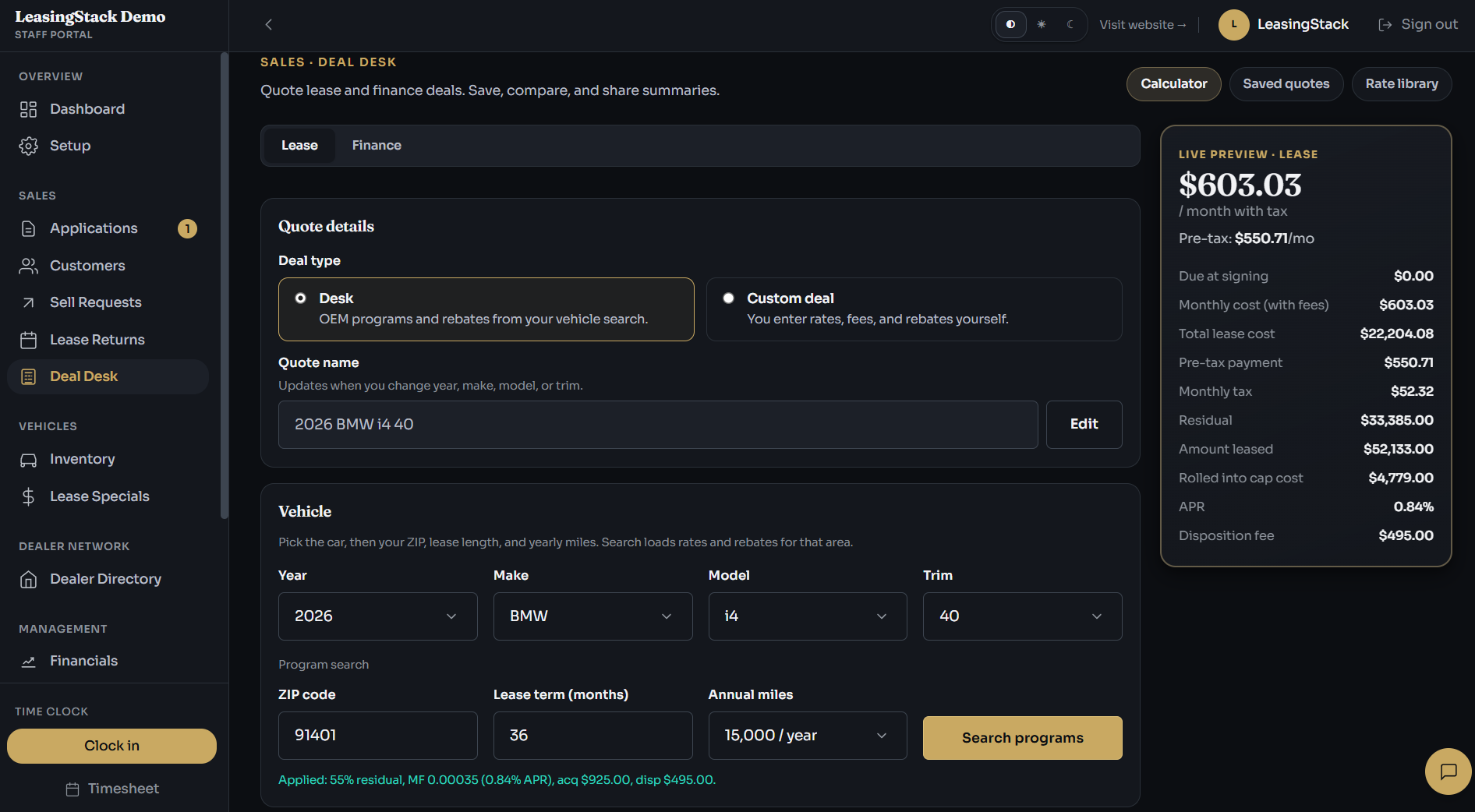
LeasingStack Deal Desk lease and finance quoting

Intake: where broker software starts

Strong software for auto brokers begins at the front door. Credit applications and sell-your-car forms should be branded to your brokerage, mobile-friendly, and routed into a queue your managers can see immediately.

  • Hosted apply links you can embed on your site or ads
  • Trade-in / sell-your-car forms with photo upload
  • Submissions that create customer records automatically
  • Optional alerts when new intake arrives
  • No custom dev project to launch a professional form
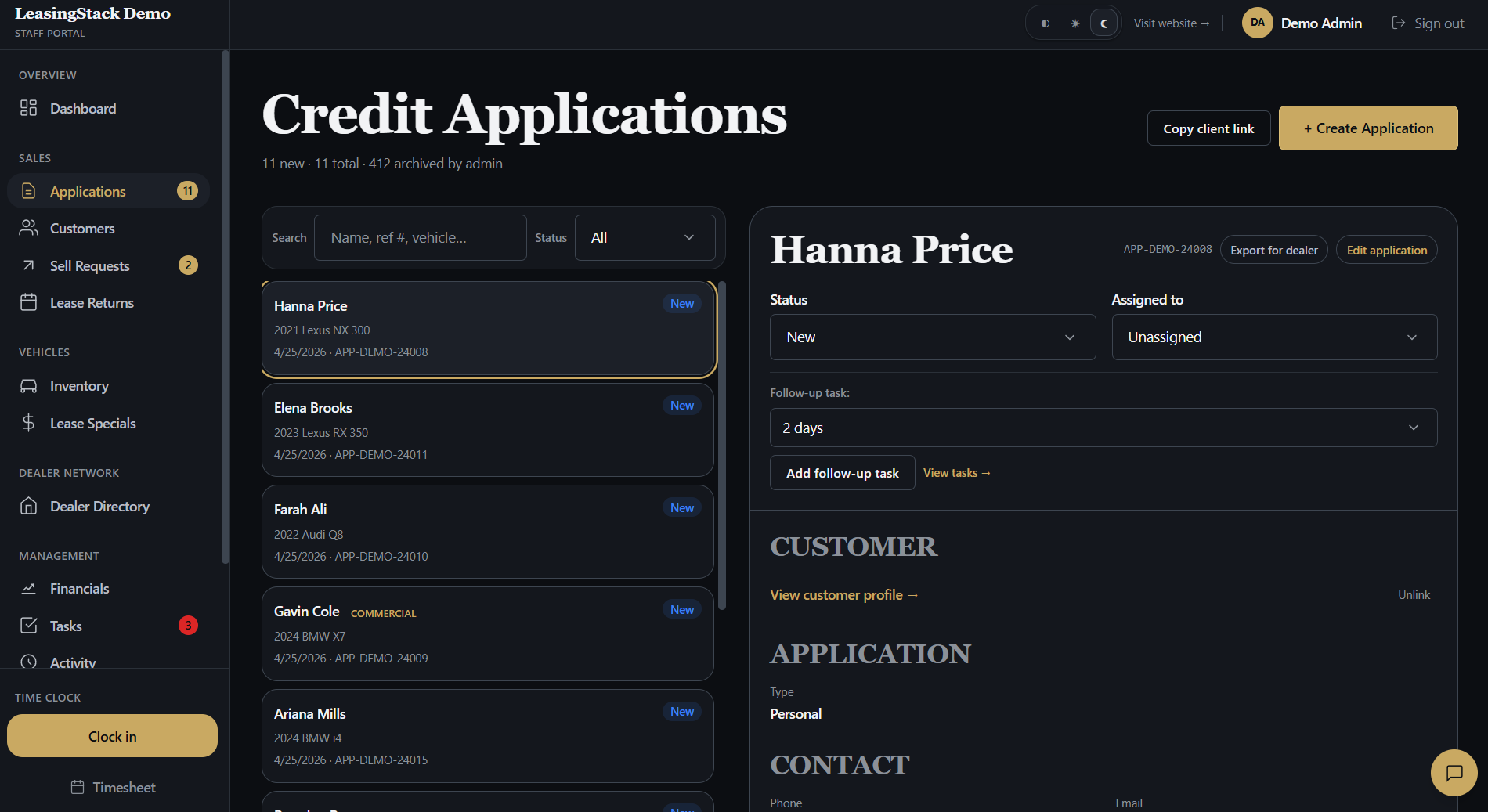
LeasingStack applications in the portal

Operations portal and team workflow

After intake, software for auto brokers must answer operational questions: who owns this file, what is blocking funding, and what did we quote last Tuesday? A shared portal with assignments and statuses beats forwarding PDFs in email.

  • Application queue with filters and export
  • Manager assignment and workload visibility
  • Customer hub with documents and deal history
  • Tasks and internal follow-ups on the same record
  • Role-based access for sales, finance, and admin
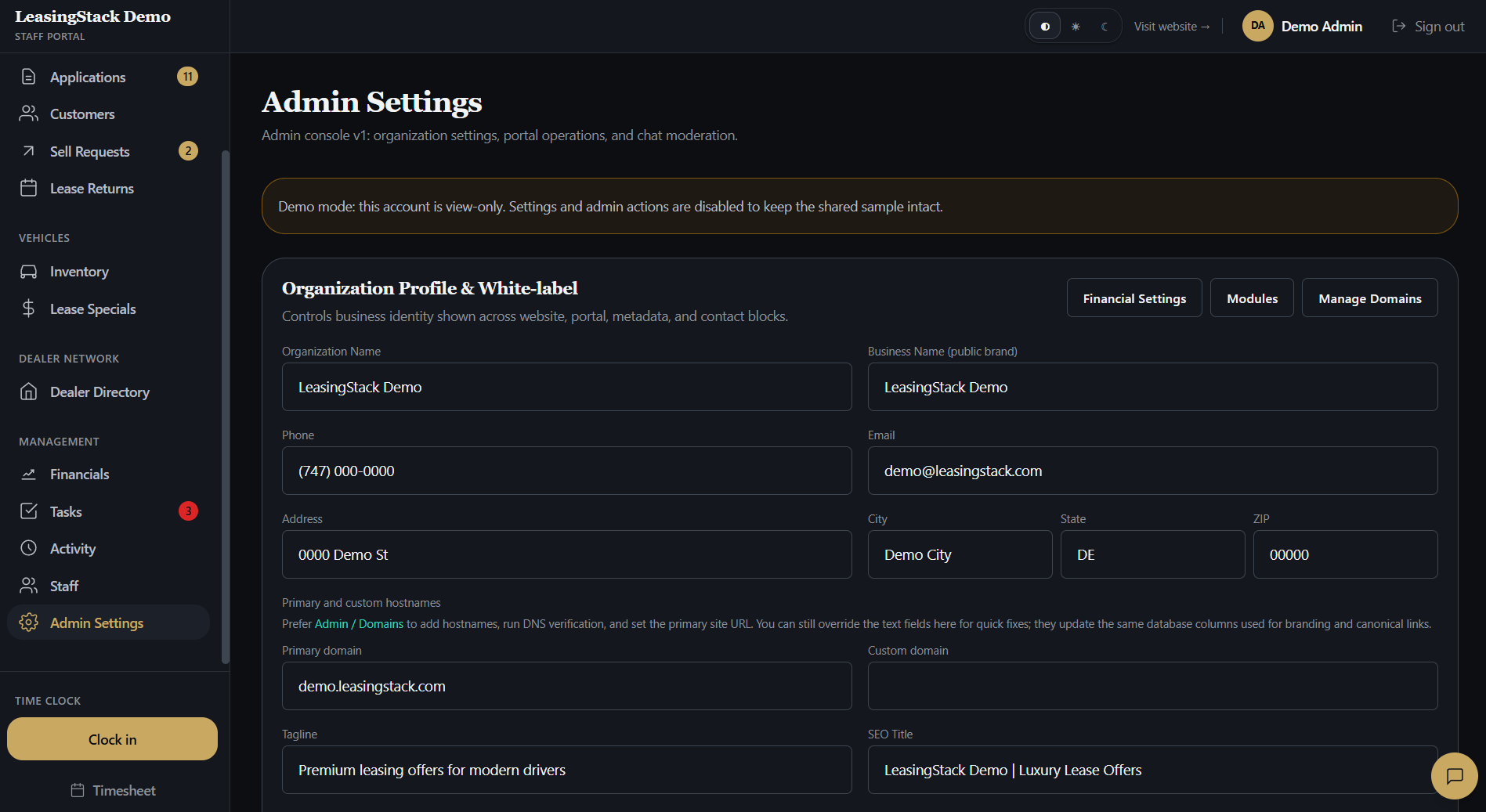
LeasingStack admin settings in the portal

Quoting, inventory, and financial modules

Lease and finance brokers need program-backed numbers, not guesswork in a calculator app. Deal Desk style quoting inside your broker software keeps payments, rebates, and printable customer PDFs on the customer timeline.

Inventory, lease specials, broker fees, and commission tracking belong in the same software graph when you enable those modules, so post-funding handoffs do not require a second system.

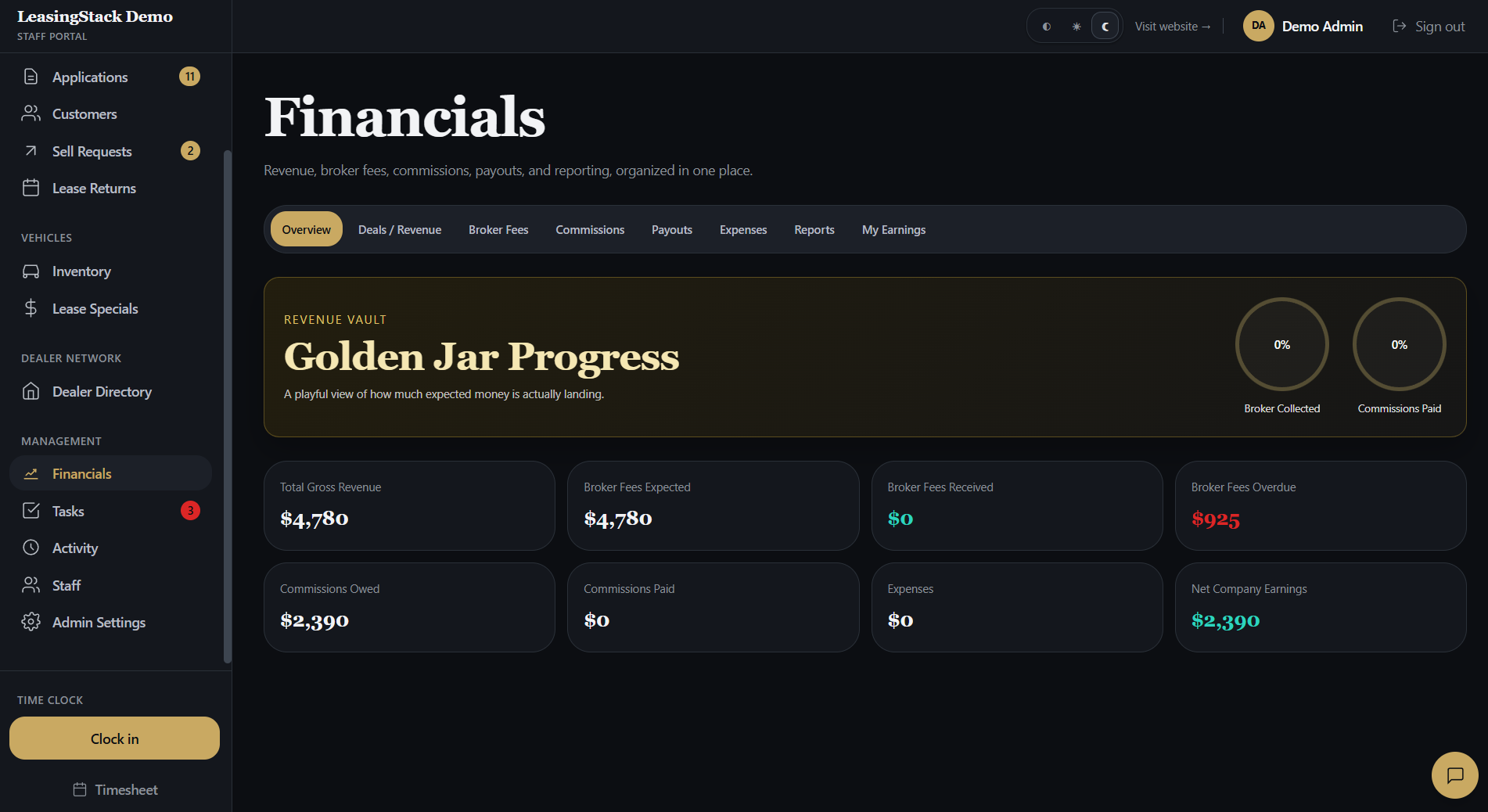
LeasingStack financials in the portal

How to evaluate software for auto brokers

Before you sign a contract, run a desk-shaped trial: publish an intake link, assign two test applications, build a quote, and invite a second staff member. If any step requires a spreadsheet workaround, the platform is not broker-complete.

Use the related pages below for CRM-specific criteria, product feature tours, and our 2026 software scorecard blog post.

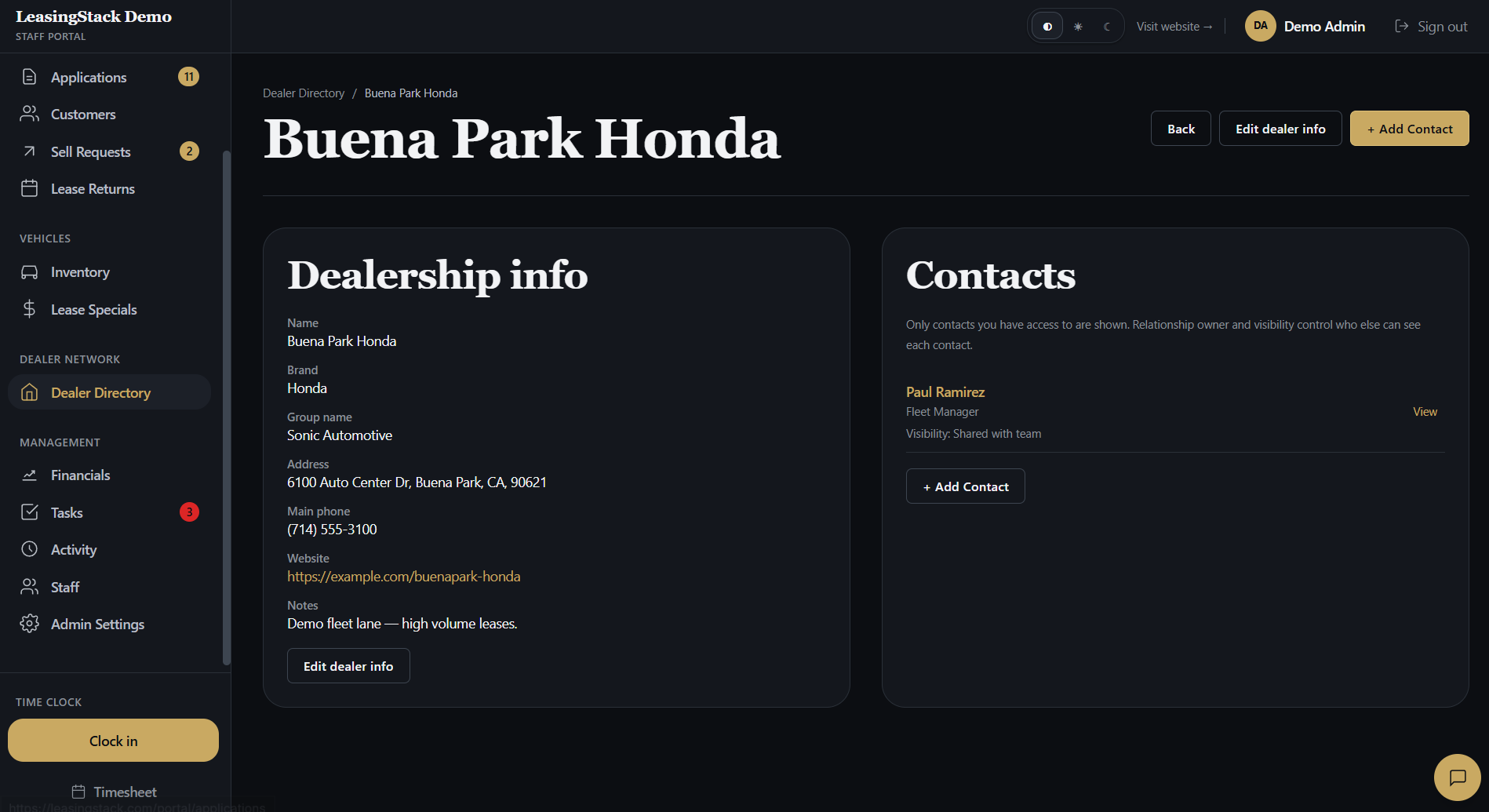
LeasingStack customer contact in the portal

LeasingStack

How the platform maps to broker work

Four pillars that independent lease and finance desks care about most.

Intake that feeds operations

Applications and trade-ins create queue items and customer records without manual re-entry.

Quoting customers understand

Deal Desk presents lease and finance scenarios with branded PDF output.

One portal for the team

Managers, sales, and finance work from shared truth instead of siloed tools.

Room to add modules

Inventory, marketing email, financials, and dealer directory grow with your desk.

Workflow

Typical desk flow

From published intake through funded deal, in the order most broker teams run their week.

01

Publish intake

Deploy credit application and sell-your-car links on your marketing site.

02

Route and assign

Managers claim or assign files; staff set status and follow-up in the portal.

03

Quote and place

Structure payments in Deal Desk and coordinate dealer placement.

04

Fund and reconcile

Record deals, fees, and commissions on supported plans after delivery.

Software for auto brokers your team can run daily

Try LeasingStack with hosted intake, Deal Desk, CRM pipeline, and a staff portal shaped for lease and finance brokerages.

Explore

Related pages

FAQ

Common questions

What software do auto brokers use?

Auto brokers use software that combines hosted intake, CRM pipeline, lease and finance quoting, customer records, and team portal workflows. LeasingStack is one broker-first platform that unifies those modules.

Is software for auto brokers the same as dealer software?

No. Dealer software centers lot inventory, in-store desking, and OEM reporting. Software for auto brokers centers client placement, white-label intake, multi-dealer coordination, and small-team workflow.

How much does auto broker software cost?

LeasingStack publishes transparent plan pricing on the signup flow. Compare seat limits, inventory caps, and module fit during your trial rather than guessing from a generic CRM price page.

Can I try LeasingStack before migrating data?

Yes. Start a trial or explore the demo portal to validate intake, quoting, and team workflow before you move live customer files.